Understanding Remote Monitoring for Heart Conditions and Virtual Care
Remote monitoring is actually changing the way people kind of manage heart health from home. With the help of digital tools, patients and caregivers can stay connected to care without needing to go into a clinic all the time. And to be fair, that’s a big relief for a lot of folks.
If you or someone you love is living with a heart condition, this guide will help explain how remote care really works, how it helps, and how SmartCare360, well, it sort of simplifies everything, without trying to replace your doctor.
How Remote Patient Monitoring (RPM) Works for Heart Health
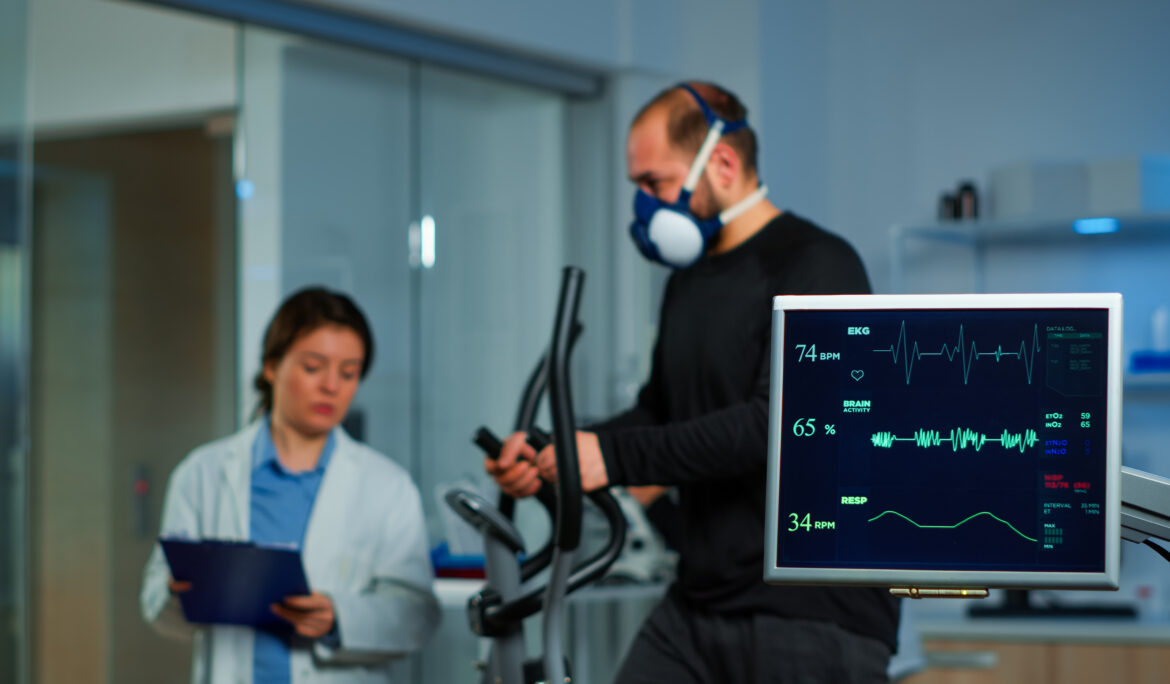
RPM gathers data, like your pulse, oxygen levels, or blood pressure, and sends it over to your care team. Some tools connect through your phone, others kind of just do it automatically. You don’t need to fuss too much with the tech. As such, most patients find it pretty manageable after a few tries.
Who Can Benefit from Cardiac Remote Patient Monitoring?
Remote monitoring isn’t just for folks who had surgery. You might benefit if you’ve got:
- Irregular heartbeat (like AFib)
- Heart failure or a weak heart muscle
- High blood pressure that’s just hard to control
- Or even a pacemaker that your doc wants to keep tabs on
And honestly, if you live alone or out in the suburbs, this can be, well, kind of a game changer.
Common Devices Used to Track Heart Rate Remotely
You may use:
- A smartwatch that, in fact, checks your heart rate
- A blood pressure cuff that syncs to your phone
- A small, wearable ECG device
- Or, maybe, a simple patch that sticks to your chest
Visual Comparison of Common RPM Devices Used for Heart Monitorin
| Device | Function | Ease of Use | Data Accuracy | Patient Benefit |
|---|---|---|---|---|
| Smartwatch | Tracks heart rate, activity, sleep | High | Moderate | Continuous monitoring with lifestyle insights |
| ECG Patch | Records heart rhythm continuously | Medium | High | Detects irregularities like AFib over time |
| BP Monitor | Measures blood pressure at intervals | High | High | Helps manage hypertension remotely |
| Mobile App | Logs symptoms, medications, trends | High | Varies (manual input) | Empowers patients to track and share data |
Why Choose Virtual Care for Heart Conditions?
Virtual care is, in many ways, a more flexible way to handle cardiac health. Instead of driving in every week, you just check in online. That’s it. It might not sound like much, but actually, it can save time, gas, and energy.
Managing Cardiac Health Without Frequent Clinic Visits
You can still have regular care without the hassle of parking, waiting rooms, or adjusting your work schedule. Your doctor stays updated through your digital readings. It’s, kind of, like care that meets you halfway.
Remote Physical Therapy and Heart Rehab at Home
Cardiac rehab is important, but sometimes hard to get to. With remote therapy options, you might get gentle exercises, progress checks, and even encouragement, from your couch. Well, assuming you’re cleared to exercise again.
Smart Heart Monitoring from Home: Tools That Help
There are so many apps and gadgets that help track your heart health. Some even remind you to take your meds or drink water, kind of helpful when you’re juggling life.
Popular Tools for Home-Based Heart Monitoring
| Tool Name | Features | Patient Benefits |
|---|---|---|
| HeartTrack App | Daily vitals, reminders, medication log | Super simple to use, reduces missed steps |
| SmartBP Cuff | Syncs with phone, stores results | Easily shareable with doctors |
How to Start Remote Monitoring for Heart Conditions
Steps to Set Up RPM Through SmartCare360
Getting started isn’t complicated. Actually, SmartCare360 can walk you through the basics:
- Use the portal to set things up
- Track all your vitals in one place
- Ask for help if anything’s confusing (it happens)
(Internal link opportunity: SmartCare360 virtual care pages)
Talking to Your Cardiologist About Digital Tools
Try asking questions like:
- “Do these tools really work for someone like me?”
- “How often do you check the data?”
- “Will this replace in-office visits?”
Well, this kind of opens the door to a care plan that’s clear and easy to follow.
What Information Will Be Shared with Your Care Team?
Typically, they’ll see:
- Your daily vitals (heart rate, blood pressure, etc.)
- Weight changes that may signal heart issues
- Any concerning symptoms (like shortness of breath)
SmartCare360 helps you track this stuff and know exactly what’s being shared.
Understanding Costs and Insurance for RPM
Is Cardiac RPM Covered by Insurance or Medicare?
To be honest, yes, many insurance plans and Medicare do cover RPM. But, of course, coverage varies. It’s smart to double-check your benefits, just to avoid surprises.
How to Check If Remote Monitoring Is Affordable for You
Look over:
- Your deductible
- Monthly premiums
- Any out-of-pocket costs for equipment
SmartCare360 can, in fact, help you understand your billing better.
Cost Comparison – In-Person vs. Virtual Heart Monitoring
| Service Type | Avg. Cost | Insurance Covered | Convenience Level |
|---|---|---|---|
| In-person visit | $150–$250 | Usually partial | You gotta travel |
| Virtual follow-up (RPM) | $40–$80 | Often fully covered | Right from home |
Protecting Your Health Data with Remote Tools
Are My Online Medical Records Safe to Access?
Yes, totally. Most RPM tools follow privacy rules. You log in, check your data, and that’s it. It’s all protected through encryption.
How SmartCare360 Ensures Secure Health Information Sharing
SmartCare360 uses secure systems that only you and your providers can access. Nothing’s shared unless you allow it. Simple as that.
(Internal link opportunity: SmartCare360 security and records page)
Digital Health Tools That Support Heart Patients
Using Patient-Friendly Apps to Track Heart Rate Remotely
Honestly, these apps are designed to be used by anyone. They’re not fancy or confusing. You just tap a few buttons and, well, that’s about it.
How to Read Your Remote Monitoring Data Easily
Data is usually color-coded. Green means good, yellow may mean “keep an eye,” and red, well, red means call your doctor. It’s super visual.
Setting Alerts and Reminders for Medication and Activity
Reminders help when life gets busy. These apps kind of take the mental load off, one less thing to remember when you’ve got enough on your plate.
Staying Emotionally and Physically Supported at Home
Virtual Mental Health Support for Heart Patients
Let’s be real, heart conditions can be scary and stressful. SmartCare360 can link you with online counseling or self-help tools, so you don’t feel so alone.
(Internal link opportunity: mental health support at SmartCare360)
Staying Connected with Your Care Team Online
Even if you’re not in the clinic, your doctor still sees your data. Messaging tools or check-ins help you feel supported from a distance.
Encouraging Family Involvement with Digital Health Tools
Caregivers can view progress, help interpret readings, or just check in more easily. It makes caring with someone instead of for someone.
Is Remote Monitoring Right for You or Your Loved One?
Signs You May Benefit from Home-Based Heart Monitoring
If you:
- Have trouble making it to appointments
- Keep forgetting to track symptoms
- Need more regular follow-up
…then, yeah, this could be worth exploring.
Questions to Ask Your Doctor About RPM for Cardiology
Don’t be shy. Ask:
- “What do you look for in the data?”
- “Will this help avoid ER visits?”
- “What if I miss a day?”
Get Started with Remote Monitoring Through SmartCare360
Explore Our Digital Tools and Virtual Cardiology Services
You can find everything in one place, tools, records, help. It’s not a clinic, but it’s kind of like a helpful companion.
(Internal link opportunity: SmartCare360 virtual tools page)
Help for Navigating Billing, Access, and Insurance Questions
If bills stress you out (and they do for most of us), SmartCare360 gives you tools to view charges, understand coverage, and avoid surprises.
(Internal link opportunity: billing support and transparency tools)
How to Sign Up and What to Expect in Your First Week
Honestly? It’s easier than you’d expect. You get:
- A device (if needed)
- An app to install
- And a walkthrough that guides you through everything
You’ll kind of be up and running in no time.
Final Thoughts: Trusting Your Heart to Online Care
When convenience meets expert care
This kind of care means fewer steps, less stress, and still solid support from your heart team.
Supporting caregivers in remote heart care journeys
It helps families stay involved without feeling overwhelmed. Everyone gets more peace of mind.
Why SmartCare360 is built for your peace of mind
It’s not a provider. It’s not replacing your doctor. But it does give you helpful tools to make managing care, well, actually, a lot easier.
FAQs About Virtual Heart Care
Can a virtual heart doctor diagnose serious heart issues?
Actually, yes, lots of them. As long as your symptoms can be explained through conversation and test results, the doctor can usually figure things out.
How secure is my health information during an online consultation?
Most platforms are encrypted and HIPAA-compliant. So your info stays private, even if you’re logging in from your kitchen.
What devices do I need for a video cardiology visit?
Just a phone, tablet, or computer with internet. A camera and microphone help too. That’s kind of it.
Is online heart care just as good as in-person visits?
It depends. For follow-ups, yes. For new or complex issues, maybe not. It’s usually a mix that works best.
Can caregivers join the virtual visit?
Absolutely. They can sit with you or join from another place, it makes communication smoother.